General Settings
Configure your WhatsApp API credentials and admin notification numbers.
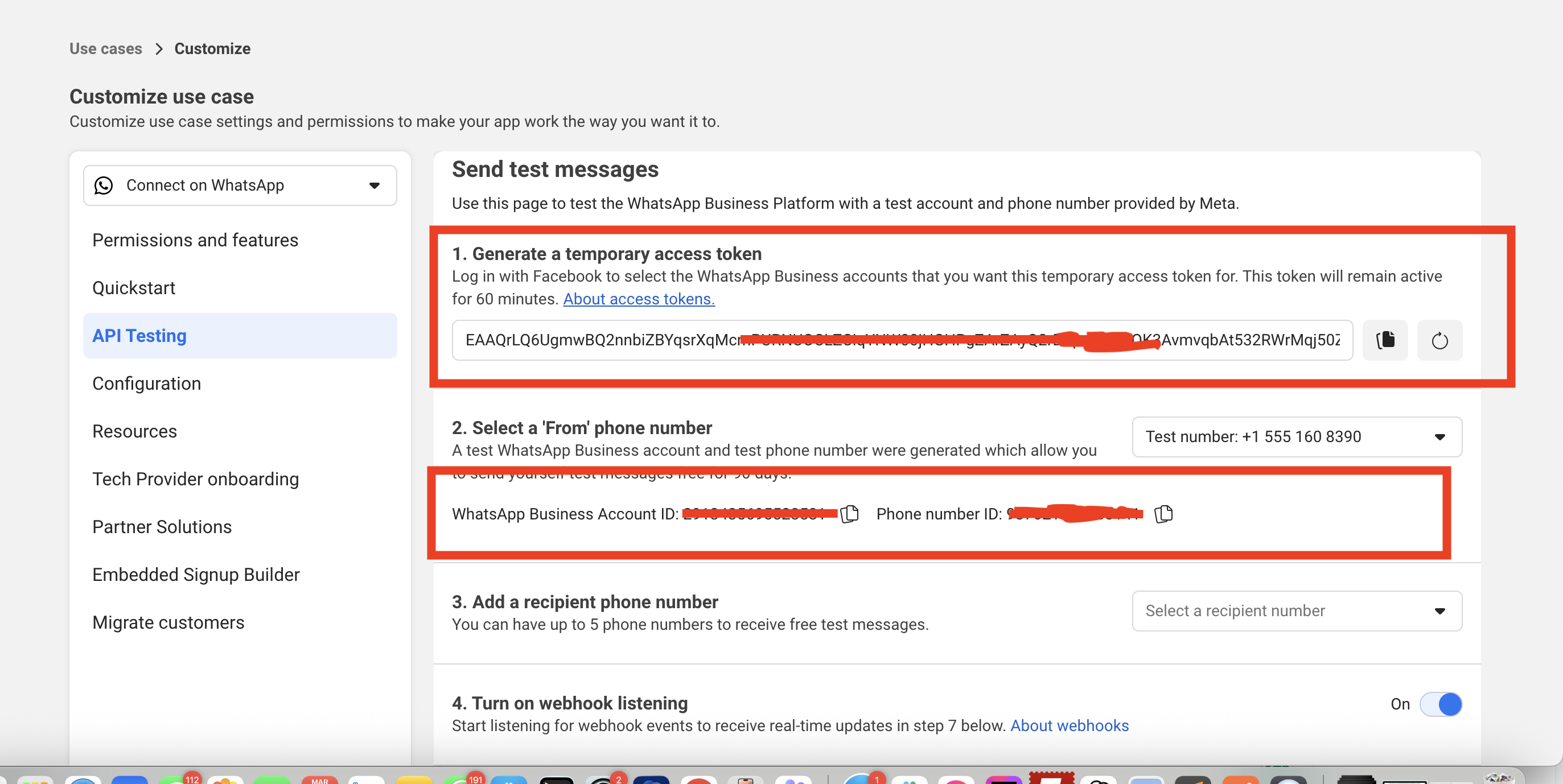
1. WhatsApp Access Token
Retrieve this from your Facebook Developer Dashboard.
Token Expiration Warning: Temporary tokens expire after 23 hours. For production use, create a permanent token by setting up a System User in your Meta Business settings. See: Generate a Permanent Token →
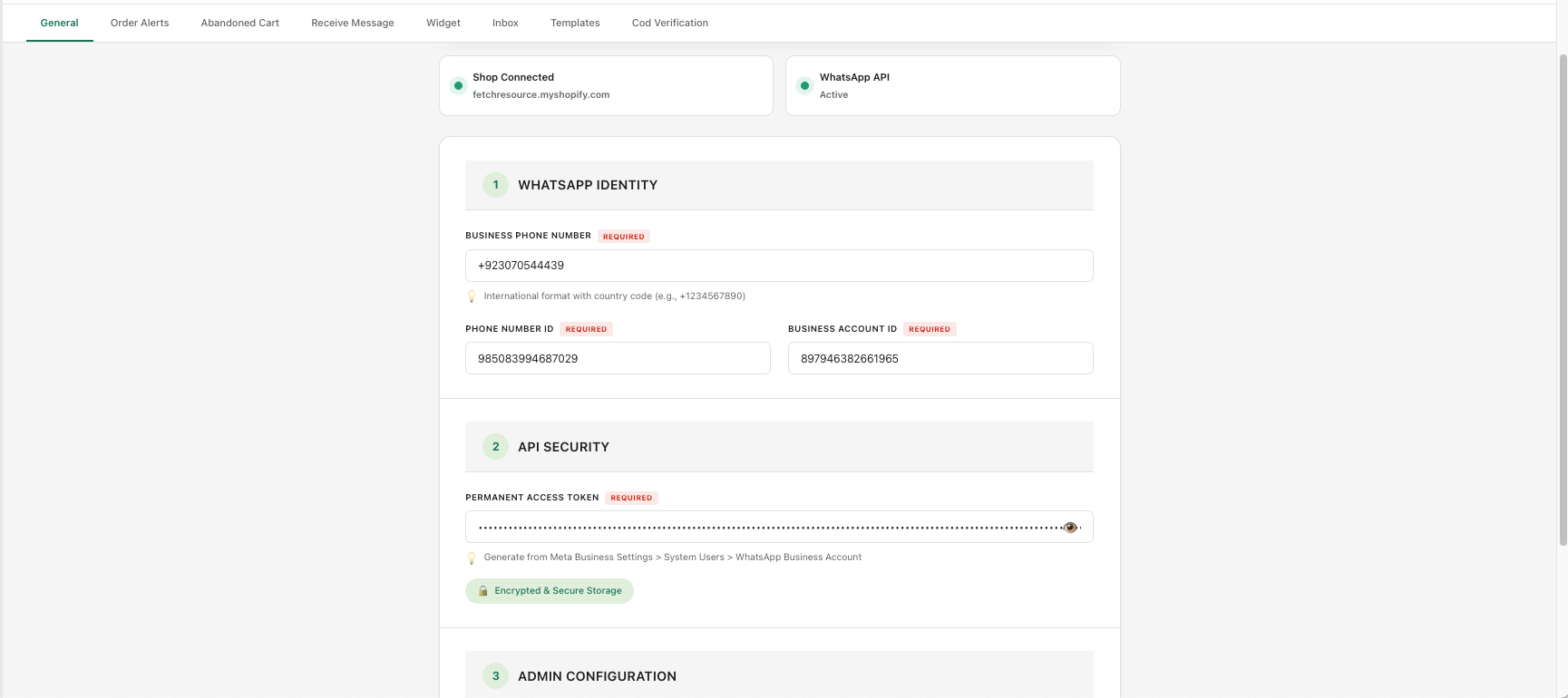
2. WhatsApp Number
Enter the phone number registered in your Facebook Developer platform. This must exactly match your verified WhatsApp Business number.
3. Admin Notification Numbers
Add one or more admin WhatsApp numbers to receive order alerts and system notifications.
Format:
Separate multiple numbers with commas. Always include country code without + or 00.
92XXXXXXXXXX, 91XXXXXXXXXXSeparate multiple numbers with commas. Always include country code without + or 00.
4. Phone Number ID & WhatsApp Business Account ID
These unique identifiers connect Pakora to your specific WhatsApp Business account. Find these in your Facebook Developer Dashboard.
Was this page helpful?