Template Settings
Create, sync, and configure WhatsApp message templates for order notifications.
1. Create Templates in Meta Business Manager
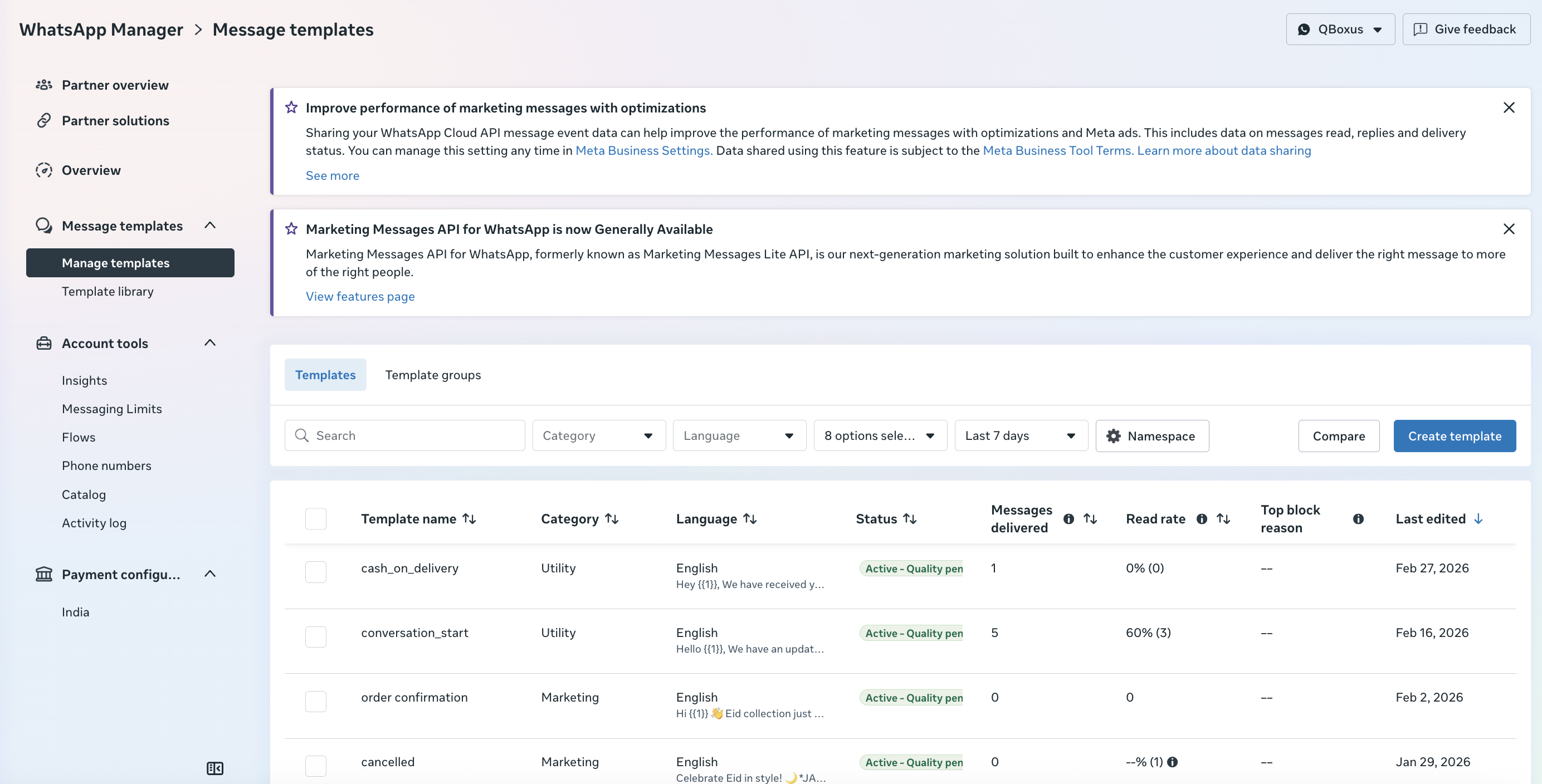
First, create your message templates in Facebook's WhatsApp Manager. These templates must be approved by Meta before you can use them.
Your approved templates in Meta Business Manager
Creating a new template with variables
2. Enable WhatsApp Order Status Notifications
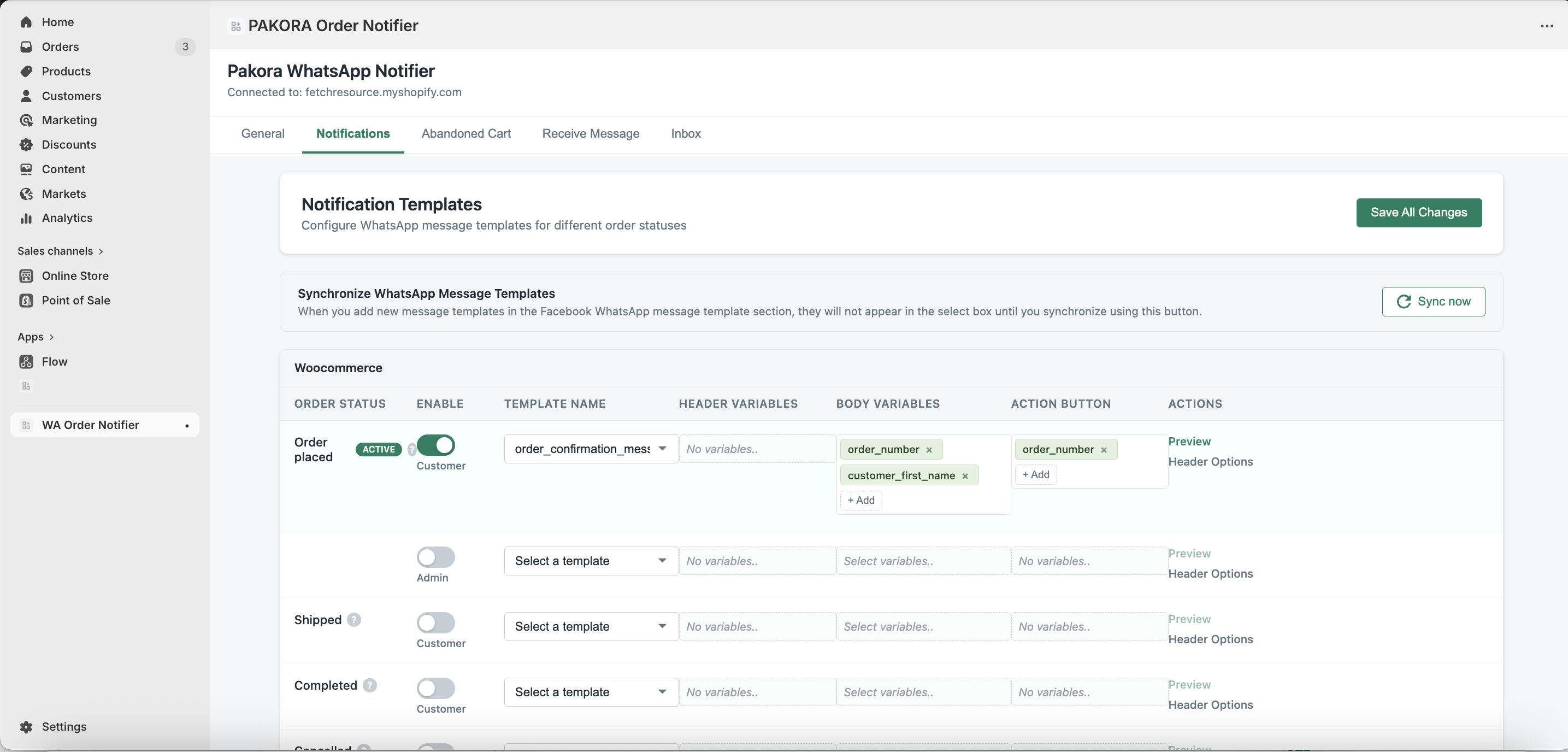
Activate automated notifications by mapping templates to specific order events. Customize header and body parameters for personalized messaging.
👥 Dual Recipients
Assign different templates for customers and admins, or use the same template for both audiences.
🔀 Individual Control
Enable or disable notifications individually for each recipient type — full flexibility per order status.
🔕 Admin Toggle
Turn off Admin Notifications completely if not needed — useful for smaller operations.
👁️ Template Preview
Use Template Preview to verify exact message appearance before going live with any notification.
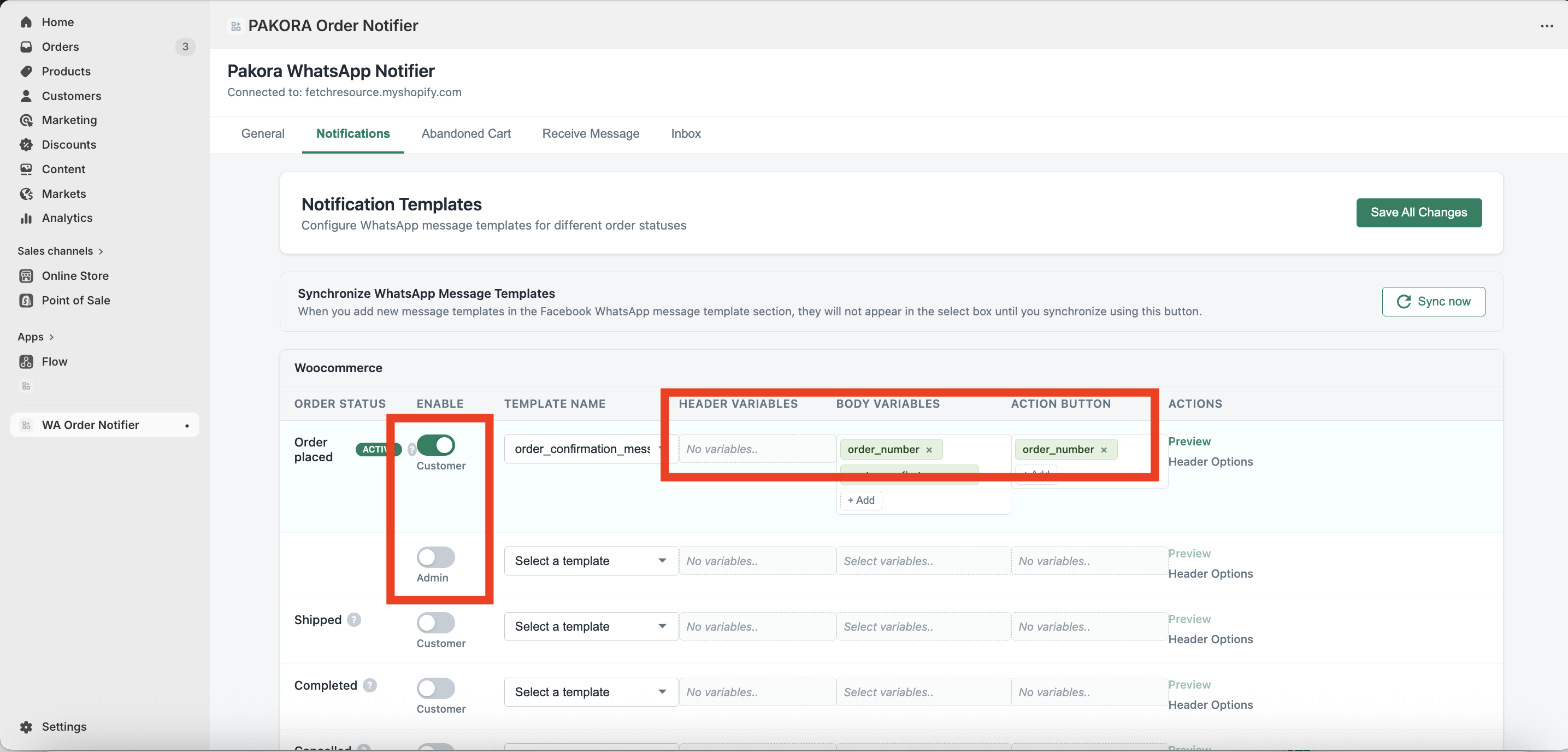
Mapping templates to order statuses in Pakora
Was this page helpful?